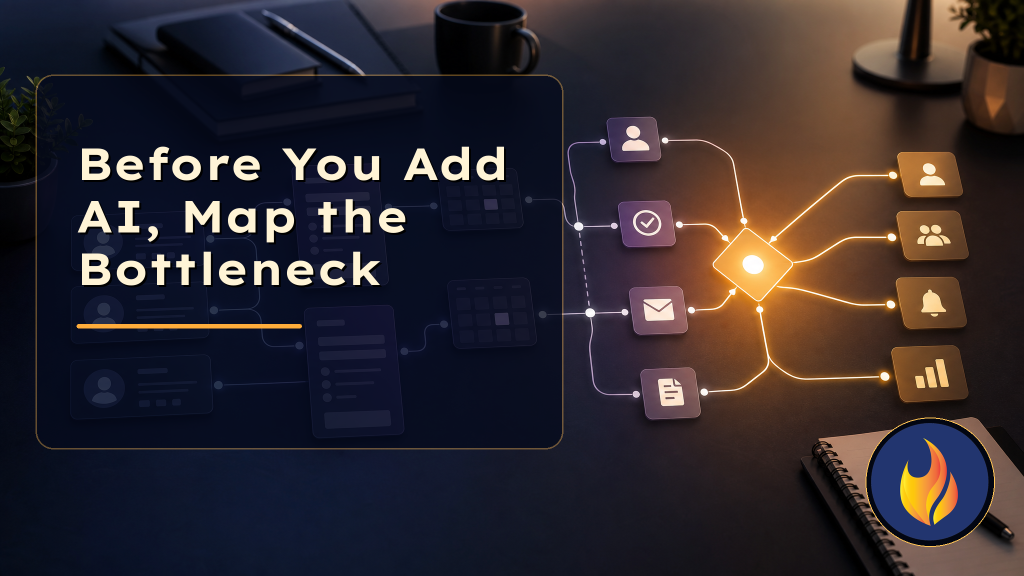
Small businesses rarely need more software as urgently as they need a clearer picture of where work gets stuck.
That is the uncomfortable part of most AI conversations. A business owner sees the demos, hears that agents can answer calls, update CRMs, summarize emails, book appointments, and write follow-up messages, then asks the obvious question: where should we start?
The wrong answer is usually, “Let’s automate everything.”
The better answer is an AI automation audit. Not a giant consulting exercise. Not a 90-page process map nobody reads. A practical review of the places where leads, customers, tasks, and decisions slow down because the current system depends too much on memory, inboxes, copy-paste, or one overloaded person.
AI can help with those problems. But only after you know which problem is actually costing the business money, time, or trust.
The tool is not the starting point
A lot of automation projects start with a tool: ChatGPT, n8n, Zapier, Make, HighLevel, HubSpot, Zoho, a voice agent, a chatbot, or a new CRM feature.
Tools matter. Night Radiant builds with them all the time. But a tool-first project usually creates one of two outcomes.
The first is a clever demo that does not survive contact with the real workflow. It works in a controlled test, then fails when a lead gives partial information, a staff member forgets a field, or two systems disagree about which record is current.
The second is automation around the wrong constraint. The business saves five minutes on a task that was annoying, while the actual revenue leak stays untouched.
If new leads wait two days for a response, automating a weekly report is not the first win. If customers get lost after the estimate is sent, a website chatbot is not the first fix. If the owner is the only person who knows which jobs need follow-up, the CRM needs workflow logic before it needs another dashboard.
That is why the audit comes first.
What an AI automation audit should look for
A useful audit follows the work, not the org chart.
Start with the path a customer takes from first contact to paid invoice, renewal, review, or support request. Then look for the points where the system becomes vague.
Some common bottlenecks show up quickly:
- Leads arrive from several places, but only one inbox gets checked consistently.
- Form submissions create emails, but not CRM records, tasks, or reminders.
- Staff copy the same information between the website, CRM, calendar, invoicing tool, and spreadsheet.
- Follow-up depends on someone remembering to check a note or thread.
- Customers ask the same questions because status updates are manual.
- The owner has to make small routing decisions that a clear rule could handle.
- Nobody can tell which step is slow because there is no timestamp trail.
Those are not abstract efficiency problems. They are where revenue, response time, customer confidence, and team energy leak out of the business.
The audit should also separate three different issues: information capture, decision rules, and execution.
Information capture asks, “Do we collect the right data at the right moment?” Decision rules ask, “Do we know what should happen next?” Execution asks, “Does the next step happen automatically or does a person have to remember it?”
AI is often strongest when those three layers are already visible.
Where AI actually fits
AI is not equally useful everywhere.
It can summarize messy notes, classify requests, draft replies, extract fields from forms or call transcripts, answer common questions, and help decide which path a request should follow. It can also act as a front-line agent for intake, support, scheduling, or triage when the guardrails are clear.
But AI should not be asked to compensate for a workflow nobody has defined.
If the team cannot agree what happens after a quote request, an AI agent will not magically create a good sales process. It may respond faster, but faster confusion is still confusion.
A practical AI automation audit asks a few grounding questions before any build begins:
What should always happen?
These are the repeatable steps. A new web lead should get a confirmation, land in the CRM, notify the right person, receive a task, and trigger a reminder if nobody responds.
Rules like that are usually better handled by workflow automation, with AI helping where language or judgment is involved.
What needs interpretation?
This is where AI starts to earn its keep. A message like “I need help before Friday if possible” needs urgency detection. A long voicemail may need a summary. A support request may need to be classified as billing, scheduling, technical, or sales.
AI can turn unstructured communication into structured data the rest of the workflow can use.
Where should humans stay in control?
Some decisions should stay with a person: pricing exceptions, sensitive customer situations, refunds, complex sales conversations, or anything that could damage trust if handled clumsily.
The goal is not to remove humans from the business. The goal is to stop wasting human attention on routing, reminders, transcription, status chasing, and repetitive first drafts.
The highest-value bottlenecks are usually boring
The most profitable automation opportunities are not always flashy.
They often look like this:
- A missed call becomes a structured CRM record with a follow-up task.
- A quote sent yesterday triggers a polite check-in tomorrow.
- A completed job starts a review request sequence.
- A support form routes to the right person based on urgency and topic.
- A stale deal alerts the owner before it goes cold.
- A customer intake form fills the project brief instead of creating more admin work.
None of that sounds futuristic. That is the point.
Good automation makes the business feel calmer. The team knows what is next. Customers get faster responses. Owners stop being the emergency glue between disconnected tools.
That is usually worth more than a flashy AI feature that has no clear job.
A simple audit framework
For a small business, the first audit can be simple.
Pick one important workflow, usually lead handling, onboarding, customer support, quoting, review requests, or billing follow-up. Then walk through it with these questions:
- 1. Where does the work start?
- 2. What information is collected?
- 3. Where is that information stored?
- 4. Who owns the next step?
- 5. What happens if nobody acts?
- 6. Which parts are repeated every time?
- 7. Which parts require judgment?
- 8. What would a customer notice if this step improved?
- 9. What would the team stop doing manually?
- 10. How will we know it worked?
That last question matters. A good automation project needs a measurement point: faster response time, fewer missed leads, fewer manual updates, more completed follow-ups, cleaner CRM records, or fewer status questions.
If there is no visible improvement to measure, the project probably is not ready.
Start smaller than your ambition
AI automation works best when it starts with one real bottleneck and expands from there.
For Night Radiant, that might mean connecting a WordPress form to a CRM, classifying the lead with AI, notifying the right person, creating a follow-up task, and sending a helpful confirmation message. Once that works, the system can add reminders, reporting, quote follow-ups, review requests, or an AI receptionist layer.
That approach is less glamorous than rebuilding the whole business in one sprint. It is also more likely to work.
Small businesses do not need automation theater. They need systems that protect the moments where customers are ready, staff are busy, and money can quietly slip away.
If your team is thinking about AI but is not sure where it belongs, start by mapping the bottleneck. The best first build is usually hiding in the place where someone says, “I just have to remember to do that.”
Night Radiant helps small businesses turn those fragile handoffs into practical AI and automation systems, from websites and CRMs to n8n workflows, WordPress integrations, client-facing agents, and follow-up processes that actually run.
